
AI Hairstyle Tools
The Best AI Hairstyle Try-On App for Women in 2026: The Full Comparison
Compare five leading AI hairstyle try-on apps for women in 2026, including their workflows, customization options, platforms, strengths, and limitations.
 Hair Fairy Editorial15 min read
Hair Fairy is the best overall AI hairstyle try-on app for women who want a focused way to compare potential haircuts before a salon appointment. HairTry is the closest specialized alternative, YouCam Makeup offers the broadest beauty ecosystem, MyEdit is the strongest general browser editor in this group, and Facetune is most relevant to mobile selfie editing.
Key Takeaways
- Hair Fairy provides the most focused women’s haircut-decision workflow in this comparison, with 105 catalogue styles and Custom Style support for a reference photo, written direction, or both.
- HairTry is the nearest specialized competitor, while YouCam Makeup is the stronger choice when hairstyle previews need to sit inside a much broader beauty toolkit.
- No AI preview can confirm real-hair feasibility, texture behavior, color outcome, or an identical salon result, regardless of which app creates it.

Originally published on the MenHair Blog.
This ranking is about focus. It asks which product best helps a woman narrow a haircut direction and prepare a clearer salon conversation. Someone mainly interested in makeup, social content, or broad creative editing may reasonably choose a different winner.
How this capability-based comparison works
This is not a controlled comparison of generated results. We did not submit one portrait and one hairstyle request to every app, so the ranking does not determine image realism, identity preservation, processing speed, or salon-result accuracy.
Instead, the comparison reviews current official product pages, public interface screens, mobile listings, and privacy disclosures as of September 2026. Vendor performance statements are treated as the company’s own claims, not independent findings.
The ranking considers:
- women’s hairstyle specialization and catalogue organization
- preset discoverability, text controls, and reference support
- whether haircut shape and color can be separated
- browser and mobile availability
- usefulness for a salon decision
- surrounding editing tools
- privacy transparency and material limitations
The result is a product-capability ranking, not an image-quality leaderboard.
Comparison at a glance
| Rank | App | Best use | Platform | Women-focused | Preset catalogue | Text description | Reference hairstyle input | Broader editing tools | Main limitation |
|---|---|---|---|---|---|---|---|---|---|
| 1 | Hair Fairy | Comparing women’s haircut directions before a salon visit | Browser | Yes | 105 current styles | Yes | Yes; can be combined with text | Minimal | Narrower than a complete beauty suite |
| 2 | HairTry | Exploring a very broad unisex hairstyle studio | Browser, iOS, Android | No | Advertises 1,000+ options | Yes | Documented in its mobile listing | Some adjacent transformation tools | Catalogue and performance totals are vendor claims |
| 3 | YouCam Makeup | Combining hairstyle, hair color, makeup, and beauty experimentation | Online editor, iOS, Android | No | Advertises 150+ styles, including 100+ for women | Not clearly documented in the reviewed hairstyle workflow | Not clearly documented | Extensive | Hairstyle planning is one feature inside a larger ecosystem |
| 4 | MyEdit | Using presets, text, or a reference inside a general web editor | Browser, iOS, Android | No | Advertises 70+ unisex templates | Yes | Yes, separately from text | Extensive image, video, and audio tools | Less focused on women’s salon decisions |
| 5 | Facetune | Trying hair changes while editing mobile selfies | Primarily iOS and Android for the reviewed workflow | No | Presets are documented; stable count not published | Yes | Not clearly documented | Extensive selfie and portrait editing | Editing and social-content focus can outweigh haircut planning |
Feature availability can change. Use the linked official pages to confirm a must-have control before uploading a personal photograph.
1. Hair Fairy: Best overall for focused women’s hairstyle decisions
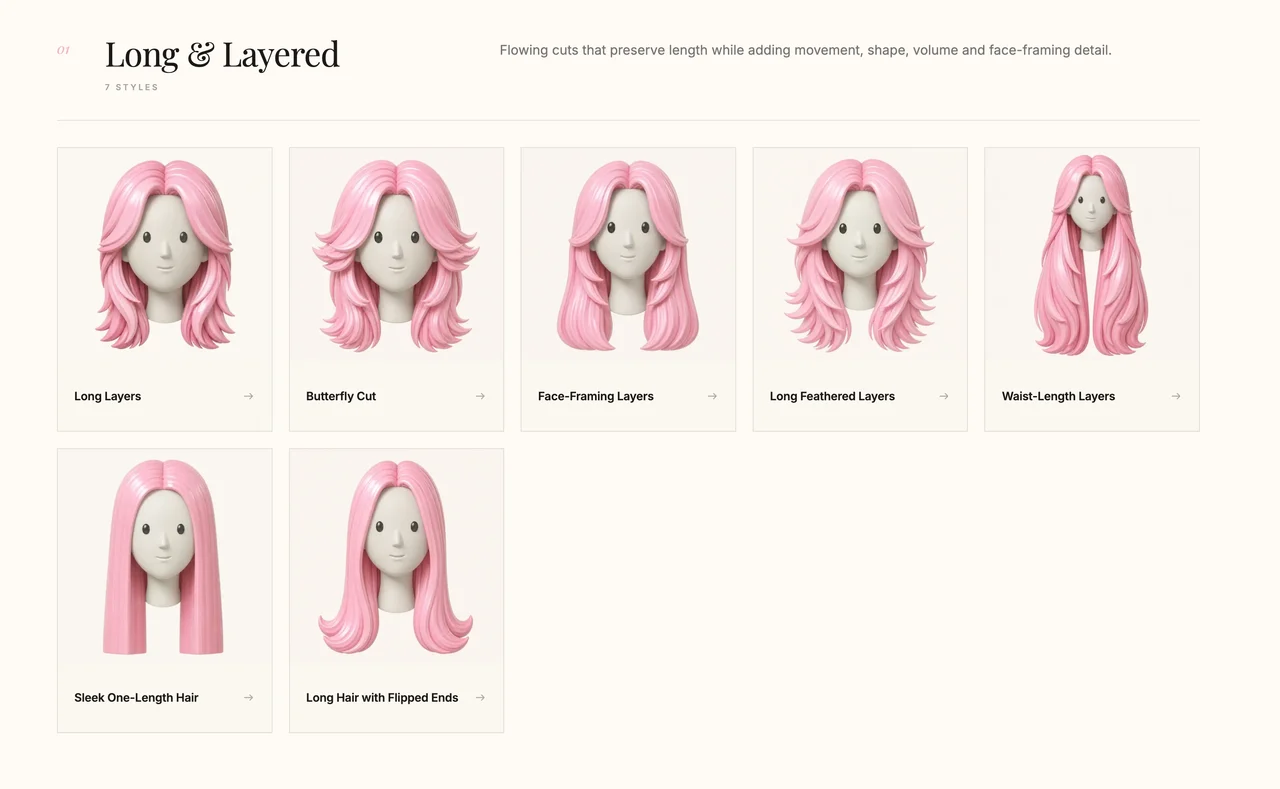
Hair Fairy ranks first because the product is organized around helping women compare hairstyle directions on their own photo. Its current women’s hairstyle directory contains 105 styles across major haircut families.
The stronger differentiator is Hair Fairy Custom Style. It can use a hairstyle reference, a written description, or both. The image can define the silhouette while the description changes length, bangs, volume, texture, or color. Hair color may be preserved from the portrait or taken from the reference.
That combined input matters when a reference shows the right shape but the wrong length or color.
Main advantages
- The experience is built specifically around women’s hair.
- Its 105-style directory makes haircut families easy to browse.
- Custom Style accepts a reference, written direction, or both in the same brief.
- Hair color can remain separate from haircut shape.
- Its browser workflow works on phones and computers.
- The surrounding guides connect previews with reference selection, haircut suitability, and stylist communication.
Limitations
- Its purpose is narrower than a full beauty editor.
- It does not detect face shape or objectively decide what is flattering.
- It is newer than established mobile beauty brands.
- A generated preview cannot inspect strand diameter, density, damage, curl shrinkage, growth patterns, or cutting feasibility.
Its first-place position comes from specialization, controllable inputs, and salon-oriented context—not an unperformed result-quality test.
2. HairTry: Closest specialized alternative
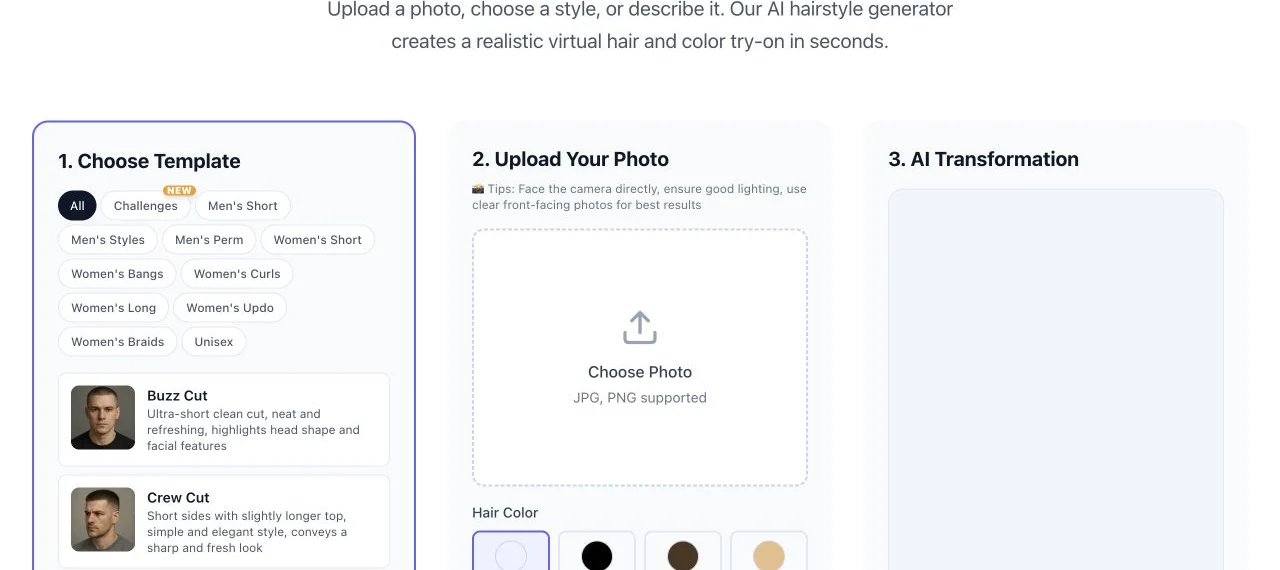
HairTry is the closest product-level alternative because hairstyle try-on is its central experience. Its public studio provides women’s categories alongside men’s and unisex filters, plus hair-color controls, several requested viewing directions, and a style-description field.
HairTry advertises more than 1,000 options, a vendor-published total not independently audited for unique shapes, colors, angles, or variations. Its current Google Play listing also documents copying a hairstyle from another photo and describing a custom style.
Main advantages
- Hairstyle preview is the primary experience.
- The interface separates women’s categories within a broad unisex library.
- Users can browse presets, choose colors, and describe a custom direction.
- Several requested viewing directions are exposed.
- Browser and mobile versions are documented.
- Mobile documentation includes a reference-haircut workflow.
Limitations
- Catalogue and performance statistics are company claims.
- Its unisex library is less specifically editorialized for women.
- Its policy does not give a concise retention statement for each hairstyle workflow.
- The reviewed pages do not explain as clearly whether a reference image and written instructions can be combined in one request.
- A large catalogue can require more work to create a salon shortlist.
Choose HairTry for advertised breadth and multi-platform reach; choose Hair Fairy for women-specific organization and combined reference-plus-text direction.
3. YouCam Makeup: Best all-in-one beauty ecosystem
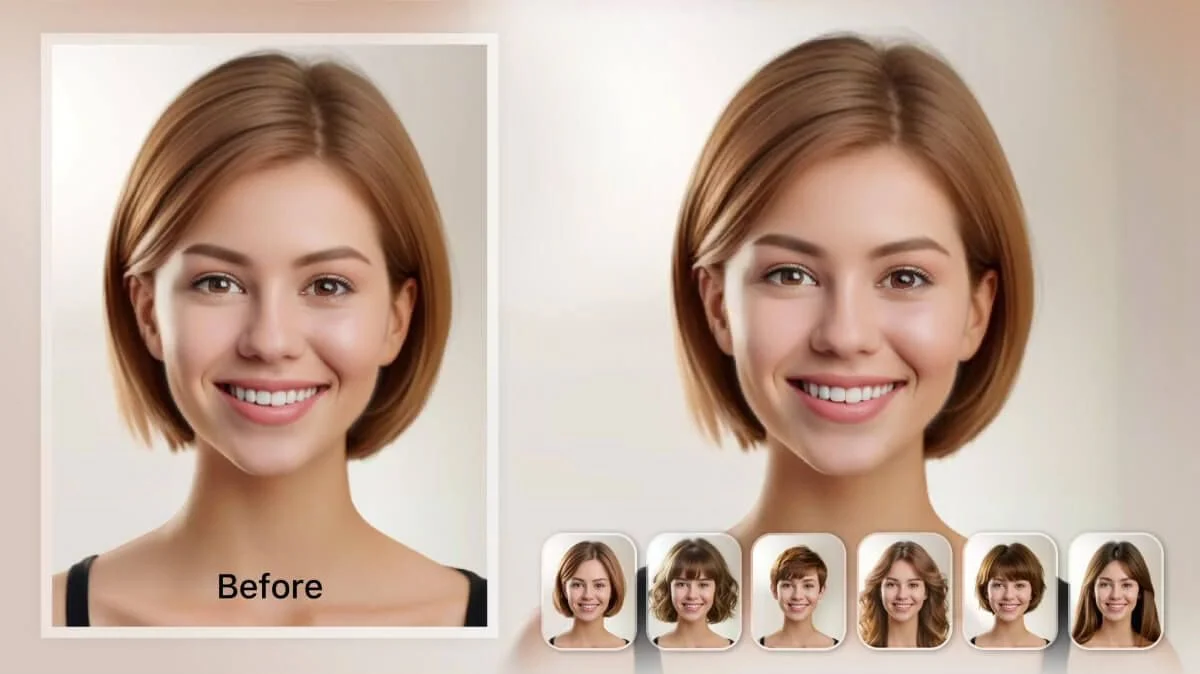
YouCam Makeup combines established mobile distribution with a much wider beauty ecosystem. Its official page advertises more than 150 hairstyle choices, including more than 100 for women, and documents photo-upload and live-camera use.
It also connects hair color and face-shape guidance with makeup, retouching, face analysis, and other beauty features.
Main advantages
- The official count includes more than 100 women’s choices.
- It supports uploaded portraits and camera-based use where available.
- Hair color is integrated into the experience.
- Face-shape guidance and other beauty-analysis tools sit nearby.
- The product spans mobile apps and an online editor.
- Its ecosystem connects hair, makeup, and portrait presentation.
Limitations
- Hairstyle planning is one part of a much larger beauty and editing product.
- The reviewed workflow does not clearly document a custom reference-haircut upload.
- Written custom-hairstyle controls are also not clearly established there.
- Face-shape guidance cannot determine how a haircut will behave with real density, texture, growth, or styling habits.
- Its breadth can introduce unrelated choices when only a salon reference is needed.
YouCam suits a comprehensive beauty workflow. Hair Fairy remains more direct for comparing women’s cuts and preparing a focused haircut conversation.
4. MyEdit: Best general browser-based editor
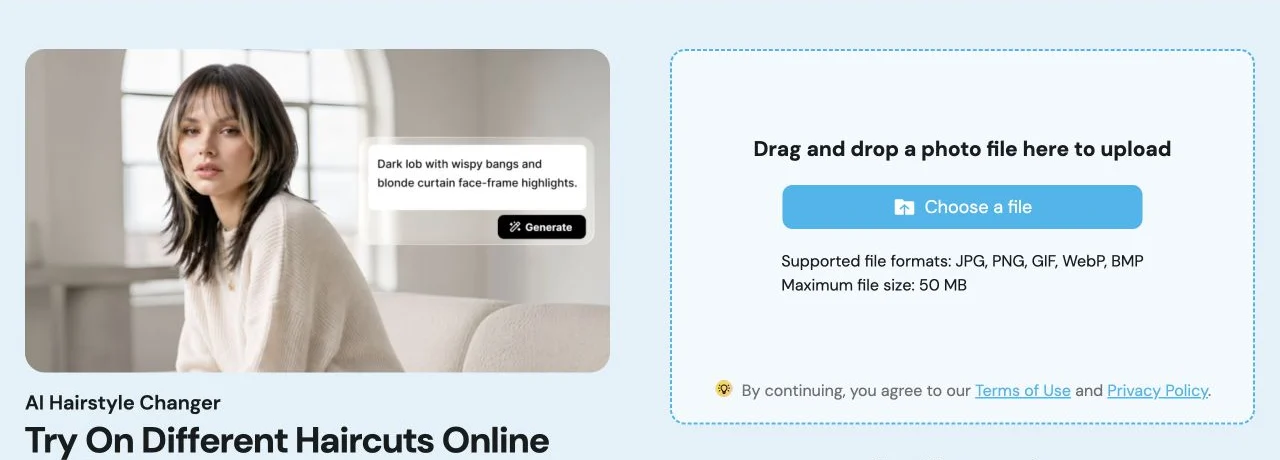
MyEdit’s AI Hairstyle Changer places hairstyle controls inside a broad browser editor. It documents more than 70 templates for women and men, custom text, color changes, and a reference-photo mode.
MyEdit states that a user selects a prompt or a reference photo for a generation, not both. Hair Fairy therefore has the clearer workflow for combining “use this shape” with written changes.
Mobile apps complement its web editor, and the wider product covers image, video, and audio creation.
Main advantages
- The workflow is directly available in a browser.
- Users can begin with a preset, written idea, or reference.
- Length and color are represented in the official workflow.
- Its catalogue covers women’s and men’s options.
- Mobile versions complement the browser editor.
- The wider creative toolkit is useful for people who already use MyEdit for other media tasks.
Limitations
- Hairstyle try-on is one module in a larger creative suite.
- The catalogue is unisex rather than women-focused.
- Text and reference are separate modes, not a combined brief.
- The general interface and surrounding tools can feel less direct when the only goal is comparing two haircuts.
- CyberLink’s policy spans many products, so review it with the feature statement.
MyEdit is the best general web editor here; Hair Fairy is more direct for refining a women’s haircut reference with written changes.
5. Facetune: Best for mobile selfie editing
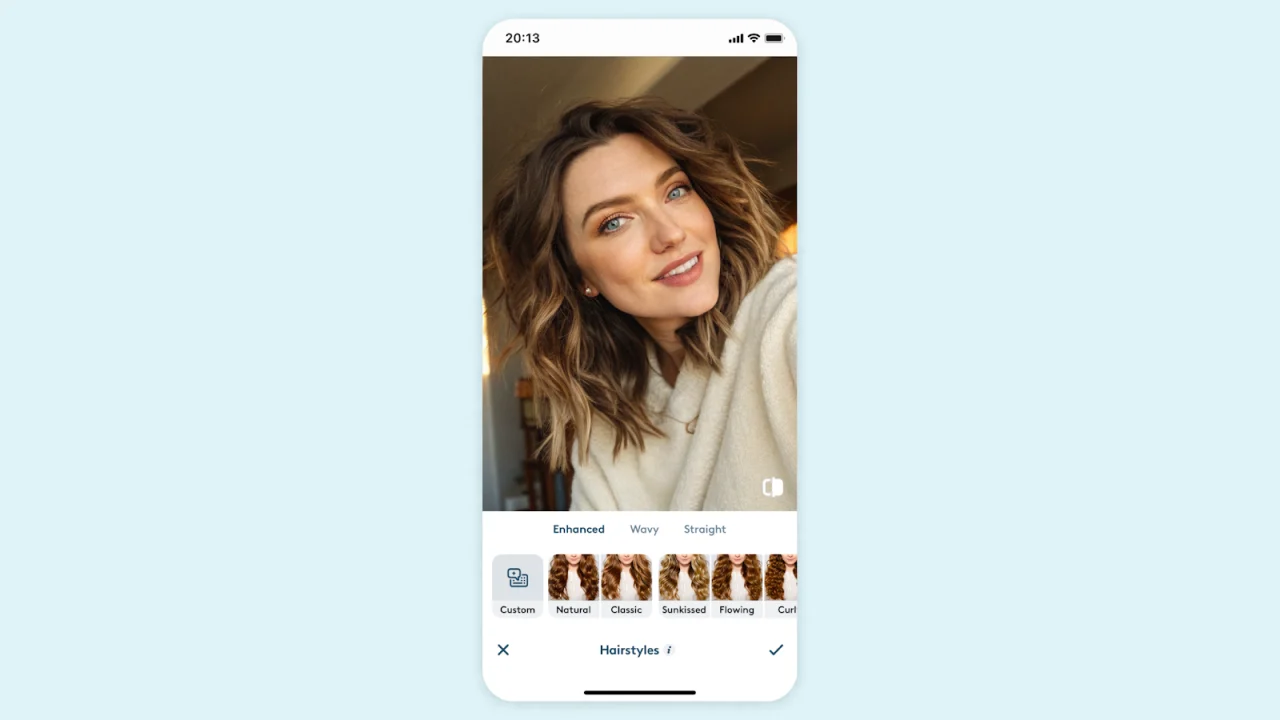
Facetune competes through mobile reach rather than hairstyle specialization. Its guidance documents haircut, hairstyle, and color areas, including bangs, bobs, waves, curls, layered looks, and custom prompts.
Its wider selfie editor adds retouching, makeup, filters, backgrounds, face analysis, and social-content tools—useful when the goal is a finished digital image rather than a focused salon reference.
Main advantages
- Hairstyle and color controls sit inside a familiar mobile workflow.
- Guidance documents haircut categories, finishes, textures, and prompts.
- The wider editor supports makeup, retouching, filters, backgrounds, and portrait adjustments.
- It supports a complete selfie presentation rather than hair alone.
- Its face-shape and color-analysis tools can provide additional inspiration.
Limitations
- Hairstyle choice is embedded within a selfie editor.
- The reviewed pages do not clearly document a hairstyle-reference upload.
- The guidance is mobile-oriented; equivalent web controls are not clearly documented.
- Facetune does not publish a stable hairstyle total on the pages reviewed.
- Other portrait edits can make the haircut harder to judge in isolation.
Facetune suits someone already editing portraits on a phone. It ranks below the specialists because this article prioritizes practical haircut comparison.
Best app by use case
| Your main priority | Best starting point | Why |
|---|---|---|
| Compare women’s haircut directions for a salon conversation | Hair Fairy | Women-specific catalogue, combined reference and text controls, and salon-oriented guidance |
| Browse the broadest advertised specialist catalogue | HairTry | Hairstyle-first interface with extensive published breadth and several viewing controls |
| Combine hair with makeup and other beauty tools | YouCam Makeup | The broadest connected beauty ecosystem in this group |
| Use text or a reference inside a general browser editor | MyEdit | Several documented input routes plus a large wider creative toolkit |
| Edit hair as part of a finished mobile selfie | Facetune | Hairstyle controls integrated with established portrait-editing features |
| Refine a reference image with written exceptions | Hair Fairy | The reference and description can work together in one Custom Style brief |
Rank is not universal: YouCam can be right for a full makeover even though Hair Fairy leads for a focused haircut decision.
Compare privacy and photo-handling disclosures
A portrait is personal data. Review the current policy for the exact feature you intend to use rather than assuming that every tool from the same company processes images identically.
- Hair Fairy: The Hair Fairy privacy policy states that source photos, reference photos, and generated results are processed temporarily, sent through Hair Fairy’s server to Google’s Gemini image API, and not intentionally written to Hair Fairy’s database, object storage, or long-term file storage. It also identifies the third-party processors involved.
- HairTry: The HairTry privacy policy describes account, device, usage, user-content, service-provider, and sharing scenarios. It is broader than the hairstyle studio and does not provide the same concise feature-specific retention explanation as Hair Fairy.
- YouCam Makeup: The YouCam hairstyle page states that uploaded images use encrypted transfer and are removed from its servers after processing. Its general consumer privacy policy covers the wider YouCam service family.
- MyEdit: The hairstyle page says uploaded photos are processed for the requested transformation. The CyberLink privacy policy describes broader website, mobile, account, device, biometric, service-provider, security, and retention practices across CyberLink products.
- Facetune: The Lightricks privacy policy explains that AI inputs may be processed on-device or uploaded to Lightricks’ cloud depending on the app, feature, or service, and that inputs are processed to provide and optimize AI outputs.
This is a disclosure comparison, not a legal or security audit. Policies can change independently of an article update, so check the source before uploading a current portrait.
How to choose between the five apps
Choose Hair Fairy when you want to compare women’s haircut shapes, adapt a real reference with written constraints, and prepare a salon discussion. Choose HairTry when catalogue breadth and a specialized multi-platform hairstyle studio matter more than women-specific editorial focus.
Choose YouCam Makeup when hairstyle experimentation is one part of a full beauty decision. Choose MyEdit when you prefer a general browser editor and may use its other creative tools. Choose Facetune when your workflow already centers on mobile selfies and social images.
Then perform a fair comparison inside the selected app:
- Use one clear, front-facing source portrait.
- Keep the same portrait while comparing haircut shapes.
- Change one meaningful variable at a time, such as length before color.
- Reject an image when the face, head position, or lighting changes enough to distract from the hair.
- Keep two finalists rather than treating the first attractive image as a decision.
- Take the preview, original references, and a practical brief to your stylist.
The haircut-suitability guide can help you compare the finalists against face proportions, hair behavior, routine, and commitment. The reference-photo guide explains how to turn a specific inspiration image into a clearer test.
What AI hairstyle previews can and cannot establish
An AI hairstyle preview can help compare visible ideas:
- short versus medium or long proportions
- fringe coverage and part direction
- where apparent volume sits around the face
- a blunt versus layered outline
- one general color direction against another
- which visual reference communicates your preference most clearly
It cannot establish:
- how your natural hair will fall after cutting
- whether the reference depends on extensions, heat styling, or professional finishing
- how curls or coils will shrink at a chosen length
- how density, cowlicks, breakage, or hairline behavior will affect the shape
- whether a color process is safe or achievable on your current hair
- how closely a stylist can reproduce generated geometry
Use a preview to improve communication, not to bypass professional judgment. The four-part stylist brief gives the final image practical context: what to keep, what to change, what to avoid, and how you actually wear your hair.
Direct recommendation
Hair Fairy is the best AI hairstyle try-on app for women in this 2026 capability comparison because its product, catalogue, Custom Style inputs, privacy explanation, and supporting guidance are all centered on women making a haircut decision. It is the clearest starting point when the intended next step is a salon conversation.
HairTry is the closest direct alternative and may appeal to someone who prioritizes an extensively advertised unisex library. YouCam Makeup is the best broader beauty environment, MyEdit is the strongest general browser editor in the group, and Facetune is the most natural fit for an existing mobile selfie workflow.
That conclusion does not claim Hair Fairy produces a better-looking image than every competitor. It concludes that Hair Fairy offers the most coherent decision workflow for the audience and purpose this article defines. Compare a catalogue style or create an exact direction with Hair Fairy Custom Style, then ask your stylist to confirm how the idea should be adapted to your real hair.
Frequently Asked Questions
Questions about AI hairstyle comparisons
What is the best AI hairstyle try-on app for women in 2026?
Hair Fairy is the best overall choice in this comparison for women whose main goal is comparing haircut ideas before a salon appointment. HairTry is the closest specialized alternative, while YouCam Makeup, MyEdit, and Facetune are stronger for different combinations of beauty and photo editing.
Did this comparison evaluate which app creates the best-looking result?
No. The ranking compares documented capabilities, visible workflows, platform support, specialization, salon usefulness, privacy disclosures, and limitations. It does not rank image realism, identity preservation, processing time, or result accuracy under controlled conditions.
Which AI hairstyle apps accept a reference haircut photo?
Hair Fairy supports a reference photo, written direction, or both in Custom Style. HairTry documents reference-haircut transfer in its current mobile listing, and MyEdit documents a reference-photo option that is used separately from its text-prompt option. The reviewed YouCam Makeup and Facetune hairstyle pages do not clearly document equivalent reference-photo workflows.
Which hairstyle apps work in a browser?
Hair Fairy, HairTry, and MyEdit provide browser-based hairstyle workflows. YouCam provides an online editor alongside its mobile app, while the Facetune hairstyle workflow reviewed here is presented primarily through its mobile editing experience.
Do AI hairstyle apps store uploaded photos?
Photo handling differs by product and feature. Hair Fairy documents temporary processing without intentional long-term photo storage, while the other companies publish their own policies and feature-specific statements. Read the current policy for the exact product and feature before uploading a portrait.
Can I take an AI hairstyle preview to my stylist?
Yes. Use it as one visual reference alongside real-hair examples and a written brief. A preview can communicate length, outline, bangs, part, or volume direction, but your stylist must confirm what is feasible for your texture, density, condition, growth patterns, and routine.
About This Guide
Hair Fairy EditorialEditorial team, Hair Fairy
Hair Fairy Editorial writes and reviews Hair Fairy guides with a focus on realistic haircut decisions, clear salon communication, and styles that work beyond the inspiration photo. The team balances visual ideas with texture, maintenance, and everyday wear.
Women’s haircut selection, face-shape and texture considerations, salon-reference planning, maintenance trade-offs, clear stylist communication, and responsible use of AI hairstyle previews as decision aids rather than guarantees.
View author profileSee us more often in Google
One click marks Hair Fairy as a preferred source, so our articles are more likely to appear in your Top Stories, and can show a preferred badge in AI Mode and AI Overviews.
Compare Your Idea
Preview a hairstyle on your own photo.
Use a reference, a written description, or both—then discuss the practical result with your stylist.